








[Miễn Phí MT5] EA19 Tanin Simulator Pro - Trình Giả Lập Backtest Cực Xịn Cho Anh Em Trader

[Miễn Phí MT5] EA19 Tanin Simulator Pro - Trình Giả Lập Backtest Cực Xịn Cho Anh Em Trader

[Miễn Phí MT5] EA19 Tanin Simulator Pro - Trình Giả Lập Backtest Cực Xịn Cho Anh Em Trader

Tanin Coder

Active Member
104
57
Chào anh em TraderViet,

Nhiều năm trước, lúc tôi mới bắt đầu tìm hiểu nghề này, thật khó để tìm một phần mềm luyện tập đầy đủ chức năng. Demo thì giá chạy thời gian thực quá lâu. Bản miễn phí thì bị giới hạn (chỉ cho xem nến D1). Bản trả phí thì đầy đủ nhưng chi phí không rẻ. Bản Crack thì lâu lâu MT5 update là không dùng được nữa.

Hôm nay, tôi xin chia sẻ phần mềm trình giả lập do chính tay tôi viết: EA19 Tanin Simulator Pro. Nó tiệm cận với các phần mềm trả phí cao cấp, nhưng mang một chức năng "siêu cao cấp": MIỄN PHÍ HOÀN TOÀN. Đây là món quà tôi dành tặng các trader mới có cơ hội thực hành nhiều trước khi bước vào giao dịch thật.

CÁC TÍNH NĂNG NỔI BẬT:
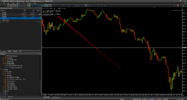
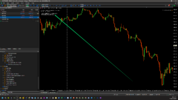
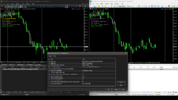
  1. Giao diện C# Cao Cấp: Bảng quản lý lệnh cực trực quan. Hỗ trợ chốt 1/2 lệnh, click đúp để gõ sửa SL/TP trực tiếp trên bảng.
  2. Kéo Thả (Drag & Drop) Thông Minh: Nhấp chọn đường Entry và kéo giãn ra để sinh ra SL hoặc TP. Chọn đường kẻ và ấn nút Delete trên bàn phím để xóa.
  3. Quản lý Ký quỹ (Margin Call/Stop Out): Giả lập đòn bẩy chuẩn xác. Đánh quá tay thiếu Free Margin sẽ bị chặn, Equity âm sẽ bị Stop Out.
  4. Bối cảnh Thị trường: Tích hợp Lịch tin tức và các Phiên giao dịch hiển thị rọi thẳng lên biểu đồ.
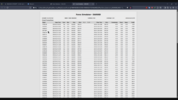
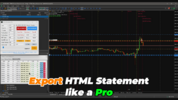
  5. Lưu/Tải & Xuất Báo cáo: Save tiến trình test, xuất Statement ra file HTML chuẩn mực của MT5.
⚙️ HƯỚNG DẪN CÀI ĐẶT:
  • Tải Dữ Liệu Nến: Mở chart cặp tiền muốn test vd: XAUUSD, kéo file Scripts Tanin_Data_Exporter.ex5 thả vào chart, chờ thông báo "Hoàn tất thành công".
  • Tải Dữ Liệu Lịch kinh tế: Mở chart cặp tiền bất kỳ, kéo file Scripts Tanin_News_Exporter.ex5 thả vào chart, chờ thông báo "Hoàn tất thành công".
  • Cho phép bật DLL: Vì EA dùng giao diện C#, anh em vào Tools -> Options -> Expert Advisors -> Tích "Allow DLL imports".

    NHẬP MÃ KHÓA CỦA BẠN TẠI ĐÂY: [ EA19_99999D_TANINCODER_597059738002 ]
    BẮT BUỘC: CHO PHÉP YÊU CẦU WEB (WebRequest) ĐỂ KÍCH HOẠT BOT
    Để xác minh Khóa Giấy phép của bạn, Bot cần quyền kết nối với máy chủ của chúng tôi. Vui lòng làm theo các bước sau:
    1. Vào menu Công cụ (Tool) -> chọn Tùy chọn (Option) (hoặc nhấn Ctrl + O ).
    2. Chuyển đến tab Chuyên gia tư vấn (Expert Advisor) .
    3. Chọn ô: "Cho phép WebRequest cho URL được liệt kê" .
    4. Nhấp vào biểu tượng [+] và thêm chính xác hai URL này:
    5. Nhấn OK và khởi động lại Bot của bạn.
XEM VIDEO HƯỚNG DẪN: Xem thêm chi tiết: https://youtu.be/VNBTozFwI6U


Chúc bạn thực hành vui vẻ và giao dịch an toàn!
— Tanin Coder —

image_2026-03-23_17-35-27.png
image_2026-03-23_17-40-17.png
image_2026-03-23_17-36-02.png
image_2026-03-23_17-39-37.png
image_2026-03-24_06-57-56.png
image_2026-03-24_06-56-41.png


Đính kèm

  • image_2026-03-24_06-54-41.png
    image_2026-03-24_06-54-41.png
    91.6 KB · Xem: 173
  • image_2026-03-24_06-56-00.png
    image_2026-03-24_06-56-00.png
    131 KB · Xem: 174
  • image_2026-03-23_17-39-22.png
    image_2026-03-23_17-39-22.png
    815.5 KB · Xem: 173
  • image_2026-03-23_17-38-48.png
    image_2026-03-23_17-38-48.png
    833.1 KB · Xem: 177
  • image_2026-03-23_17-36-39.png
    image_2026-03-23_17-36-39.png
    1.3 MB · Xem: 177
  • EA19_Tanin_Simulator_Pro.rar
    194.3 KB · Xem: 1

Giới thiệu sách Trading hay
Thấu hiểu Hành vi giá Thị trường Tài chính - Understanding Price Action

Là quyển sách hướng dẫn giao dịch Phương Pháp Price Action của Bob Volman, chỉ sử dụng duy nhất một đường MA và cấu trúc thị trường cùng hành vi giá để tìm kiếm lợi nhuận
[UPDATE] Cập nhật bản EA19 Tanin Simulator Pro (V10.40) - Tối ưu hóa Simulator Engine

Chào anh em, mình vừa FIX và đóng gói bản cập nhật mới nhất cho EA19 để hệ thống giả lập hoạt động mượt mà và chính xác hơn ở mọi khung thời gian.

Chi tiết cập nhật:
  1. Bổ sung thư viện lõi: Đính kèm file TaninSimulatorEngine_Pro.dll (Bắt buộc phải có để load giao diện Panel).
  2. Nâng cấp thuật toán Time-Sync: Xử lý triệt để độ trễ và dọn dẹp lệnh rác (Drawdown/TP/SL) khi thao tác nhảy cóc nến (Next) và lùi thời gian (Prev) qua lại giữa các Timeframe (M15, H1, H4...).
Hướng dẫn cài đặt bản mới (Rất quan trọng):
  • Copy file EA19_Tanin_Simulator_Pro.ex5 bỏ vào thư mục: MQL5\Experts

  • Copy file Tanin_Data_Exporter.ex5 bỏ vào thư mục: MQL5\Scripts
  • Copy file Tanin_News_Exporter.ex5 bỏ vào thư mục: MQL5\Scripts

  • Copy file TaninSimulatorEngine_Pro.dll bỏ vào thư mục: MQL5\Libraries
  • Mở MT5 -> Bấm Ctrl + O (Options) -> Tab Expert Advisors -> Tick chọn ô "Allow DLL imports".
Anh em tải file .rar mới nhất đính kèm ở bình luận này nhé. Chúc anh em luyện tập hiệu quả!


Đính kèm

  • EA19_Tanin_Simulator_Pro.rar
    248.7 KB · Xem: 0
TANIN ICHIMOKU CLOUD (EA20): The Ultimate Trend Rider & Prop Firm Shield

EA20 Tanin Ichimoku Cloud

See it in action: Xem thêm chi tiết: https://youtu.be/_rGeuf06d2w


Trading the Ichimoku Kinko Hyo system manually can be complex and emotionally draining. Are you tired of getting shaken out of massive trends by market noise? Meet EA20 Tanin Ichimoku Cloud, a fully automated trend-following system. It takes the guesswork out of Ichimoku by executing sniper entries and riding the mega trends with zero emotions.

ENTER YOUR KEY HERE: [ EA20_99999D_TANINCODER_598259741005 ]
--

MANDATORY: ALLOW WEBREQUEST TO ACTIVATE THE BOT
To verify your License Key, the Bot needs permission to connect to our server. Please follow these steps:
  1. Open your MetaTrader 5 platform.
  2. Go to the Tools menu -> select Options (or press Ctrl + O).
  3. Navigate to the Expert Advisors tab.
  4. Check the box: "Allow WebRequest for listed URL".
  5. Click the [+]icon and add exactly these two URLs:
  6. Click OK and restart your Bot.
⏬ DOWNLOAD OPTIMIZED SETTING FILES:
EA20_Tanin_Ichimoku_Cloud_USDJPY_H1_AGGRESSIVE_GROWTH.set
EA20_Tanin_Ichimoku_Cloud_USDJPY_H1_PROPFIRM_SAFE.set

WHY THIS EA IS DIFFERENT?
Most traders close their winning trades too early out of fear. EA20 fixes this with its "Dynamic Cloud Trailing" technology. By hiding your Stop Loss safely behind the Senkou Span (Cloud), it ignores fake pullbacks and holds profitable trades for days—sometimes up to 7 days and 6 nights—capturing the FULL trend movement.

✅ KEY FEATURES:
• Sniper Trend Entries: Automatically enters ONLY when Price breaks the Cloud, and the Tenkan-sen crosses the Kijun-sen during optimal trading hours.
• Dynamic Cloud Trailing Stop: An advanced trailing mechanism that dynamically adjusts your Stop Loss based on the upper/lower bounds of the Ichimoku Cloud (Cloud Max/Min).
• Prop Firm Shield: Built-in Max Daily Drawdown protector (Standard at 5%, default set to 4%). If the DD limit is hit, it FORCE CLOSES all trades to protect your funded account.
• Advanced Money Management: Features Auto Lot calculation based on Risk Percent , Fixed Lot options , and customizable Risk/Reward (RR) ratios for Take Profit.
• Time & Days Filter: Fully customizable trading schedule from Monday to Sunday, allowing you to filter out low-volume sessions.

PERFORMANCE HIGHLIGHTS:
• Pair: USDJPY
• Timeframe: H1
• Stress Test: Passed brutal 6-year stress tests (2020-2026) with a rock-solid 26% steady account growth (+$2,600 on a $10,000 balance) and an ultra-low 4.17% Max Drawdown.

⚙️ HOW TO SET UP (Setup in 30 seconds):
1. Attach the EA to your chart.
2. IMPORTANT: You must enable "Allow WebRequest" in MT5 settings (Tools -> Options -> Expert Advisors) and add URL
3. Load the provided .set file.
4. Enter your License Key in the Inputs tab.
5. Check the Dashboard. When you see "License: ACTIVE LIFETIME" in Lime color, you are ready to hunt!

⚠️ DISCLAIMER: Tanin Coder provides these EAs and Indicators 100% FREE. I am a developer and a trader, not a financial advisor. All EAs come with optimized SET files, but market conditions change. You MUST test any EA on a DEMO account for at least 2-4 weeks before risking real money. Every trader and Prop Firm has different rules. Protect your capital first. By downloading and using these tools, you agree to take full responsibility for your own trading results.
__________________________________________
AUTHOR'S NOTE: Developed by Tanin Coder

Attached File(s)
File Type: rar
EA20_Tanin_Ichimoku_Cloud.rar

ea20-tanin-ichimoku-cloud-screen-8534.png
ea20-tanin-ichimoku-cloud-screen-3690.png
ea20-tanin-ichimoku-cloud-screen-2330.png
ea20-tanin-ichimoku-cloud-screen-6933.png
ea20-tanin-ichimoku-cloud-screen-5083.png
ea20-tanin-ichimoku-cloud-screen-3135.png
ea20-tanin-ichimoku-cloud-screen-9615.png
ea20-tanin-ichimoku-cloud-screen-1224.png
ea20-tanin-ichimoku-cloud-screen-2452.png
ea20-tanin-ichimoku-cloud-screen-1431.png


Đính kèm

  • EA20_Tanin_Ichimoku_Cloud.rar
    92.8 KB · Xem: 0
Chỉnh sửa lần cuối:

BÌNH LUẬN MỚI NHẤT

AdBlock Detected

We get it, advertisements are annoying!

Sure, ad-blocking software does a great job at blocking ads, but it also blocks useful features of our website. For the best site experience please disable your AdBlocker.

Back
Bên trên

Miễn trừ trách nhiệm

Tất cả nội dung trên website này đều vì mục đích cung cấp thông tin và không phải lời khuyên đầu tư.

Tại Việt Nam, giao dịch CFD forex có các rủi ro nhất định, trong đó bao gồm rủi ro về pháp lý. Độc giả nên tìm hiểu kỹ trước khi đưa ra quyết định tham gia.